 ClawSkoolFor Paralegals
OpenClaw handles document review checklists, filing deadline tracking, and client status updates — so you stay ahead of every matter across every attorney you support, without things slipping through.
Questions? hello@clawskool.xyz
You Got Into Paralegal Work to Support Great Legal Work — Not to Be the System That Prevents Catastrophe.
You wanted meaningful work that uses your knowledge of law and procedure. Instead, you spend your days maintaining the tracking systems that keep multiple attorneys from missing deadlines — and hoping nothing fell through the cracks.
01
You work across multiple matters
You support one or more attorneys simultaneously — each with their own docket, deadlines, filing requirements, and communication preferences. The volume isn't the problem; the manual coordination is.
02
Your procedural knowledge is excellent
You know the filing requirements, the court rules, and the document standards. The problem isn't your skills — it's that maintaining checklists, tracking deadlines, and sending status updates leaves no time for substantive work.
03
You want a system that prevents surprises
A missed filing deadline or a document sent to the wrong party isn't your fault alone — but it lands on you. You want the tracking, alerting, and checklist management to run automatically so surprises become impossible.
If you're keeping more in your head than any system should require — this is for you.
The Paralegal Grind Is Broken
01
A response deadline was 30 days from the service date. You found the sticky note on day 29.
Every matter has its own deadline chain — service dates, response windows, court dates, discovery cutoffs. Tracking all of them manually across multiple cases and multiple attorneys is not a system. It's a liability.
02
The document checklist is in a Word file that nobody updates consistently
The attorney needs exhibit A, B, C, and the amended version of D. The checklist you built six months ago doesn't account for the three documents added last week. Every matter has a slightly different version of the same checklist.
03
You sent a status update to the wrong client thread because you had eight tabs open
Managing communications across multiple matters in a shared inbox is an accident waiting to happen. One misdirected email isn't just embarrassing — in legal work, it can be a privilege issue or a breach of confidentiality.
04
The attorney asked for a discovery summary you haven't started because three other deadlines hit today
When everything is urgent, nothing is organized. Paralegal work is constant context-switching — and the research, compilation, and drafting tasks that require focus keep getting pushed to 'after the deadline.'
05
You spent two hours formatting a brief for filing that could have been templated
Court-specific formatting requirements, caption standards, certificate of service templates — every jurisdiction has its own rules. You follow them from memory and rebuild the format from scratch every time rather than pulling from a reliable template.
06
An attorney you support doesn't know where the Smith matter stands because you've been slammed
Status updates to supervising attorneys shouldn't require a 20-minute briefing. But generating a concise matter status email — what's been done, what's outstanding, what's due next — manually for every matter you support takes time you often don't have.
You've Built Every Tracking System. You're Still the One Running Them.
Every tool you've tried helps you organize your work better — but all of them require you to log in, update records, and manually trigger the next step.
Clio / MyCase / Filevine
(Legal case management platforms)These platforms store your matters and deadlines — but they don't send the deadline alert automatically when a response window opens, generate the document checklist for the specific matter type, or draft the status update email to the attorney.
Spreadsheet Trackers
(Google Sheets, Excel deadline trackers)Spreadsheets surface the information — but only when you open them. A deadline tracker that requires manual updating and manual review is not a safety net. It's a list of things you'll remember to check when you're not already underwater.
Calendar & Task Apps
(Outlook tasks, Google Calendar, Asana)Task apps send reminders you set — they don't calculate when a deadline should trigger based on a service date, generate the checklist for the filing type, or know that three related tasks need to fire in sequence when a court date moves.
Document Templates
(Word templates, Google Docs templates)Templates give you a starting point — but they still require you to open them, populate all the matter-specific fields, verify the court-specific formatting, and confirm nothing from the last matter's version bled through.
The problem is not your paralegal skills. It is that your coordination work has no system to run it.
OpenClaw is different because it tracks and acts. It monitors your matter list and triggers checklists automatically when a new filing type opens. It watches deadlines and sends escalating reminders to you and the attorney before anything is missed. It assembles status update emails from your matter notes and queues them for your review. ClawSkool teaches you to build the AI layer that runs the administrative coordination so you can focus on substantive legal work.
What If Deadline Alerts, Document Checklists, and Status Updates Ran Automatically Across Every Matter?
Imagine opening your morning to every deadline flagged, every checklist current, and every attorney already updated — before you've made your first decision.
This morning your AI reviewed your active matter list overnight and sent three deadline alerts — two to you, one to the supervising attorney — for filings due in the next 10 business days. A new matter was opened yesterday; your AI generated the document checklist for that filing type and added it to the matter folder. Two status update emails for your highest-priority matters went out at 8am — matter summary, outstanding items, upcoming deadlines — formatted exactly as your attorney prefers. Your inbox has fewer questions than any Monday in recent memory.
Deadline Chain Tracking & Escalating Alerts
Your AI calculates deadline chains from service dates and filing dates you enter, monitors each open window, and sends escalating alerts to you and the attorney as deadlines approach — with no manual calendar entry required for each step in the chain.
Document Checklists Generated by Matter Type
When a new matter opens with a specific filing type, your AI generates the corresponding document checklist — populated with standard requirements for that matter type, jurisdiction, and court — so nothing is assembled from memory or a stale template.
Automated Status Updates to Supervising Attorneys
Your AI compiles matter status summaries from your notes and task log — what was completed, what is outstanding, what is due next — and sends them to the supervising attorney on a schedule, keeping everyone current without requiring a briefing call.
Document Prep from Templates with Matter-Specific Data
Your AI populates your standard briefs, motions, and service documents with matter-specific information from your intake data — generating a court-ready first draft without the find-and-replace marathon that currently starts every document from scratch.
Multi-Matter Dashboard & Priority Alerts
Your AI monitors all active matters simultaneously and surfaces priority alerts — newly triggered deadlines, outstanding documents, responses overdue from clients — so you start every day knowing exactly where to focus without reviewing every file manually.
Built by People Who Use This Every Day
We built this because we needed it. Now it runs our businesses.
I was managing 7 different tools to run one creator business. Now one AI agent does all of it. ClawSkool is not a tutorial. It is the exact system I use every single day.
Chris
Co-Founder, ClawSkool
I was spending 3+ hours every day on tasks that had nothing to do with making videos. Now my AI handles content scheduling, brand outreach, and DMs. I have not manually cross-posted a video in months.
Russell
Co-Founder, ClawSkool
Not a demo. Not a prototype. I run marketing, research, and operations for a funded startup. 24 hours a day. 7 days a week. The same system powers ClawSkool.
Claudia
Our AI Agent (that built this website!)
OpenClaw powers 250,000+ AI agents worldwide — open source, MIT licensed.
Everything Included
Build your AI matter management system from scratch — no prior tech experience needed.
Pre-built SOUL.md templates for deadline tracking, document checklists, status updates, and attorney communications.
10 plug-and-play workflows: deadline chain alerts, checklist generation, status updates, and document prep sequences.
How to support more attorneys and more matters without proportionally more hours — the AI-first paralegal framework.
Every filing window tracked, every deadline escalated, every checklist current — across every matter you support.
Ask anything. Get hands-on help building and debugging your OpenClaw paralegal system.
Connect with freelance paralegals automating their practices — share checklists, templates, and deadline tracking configs.
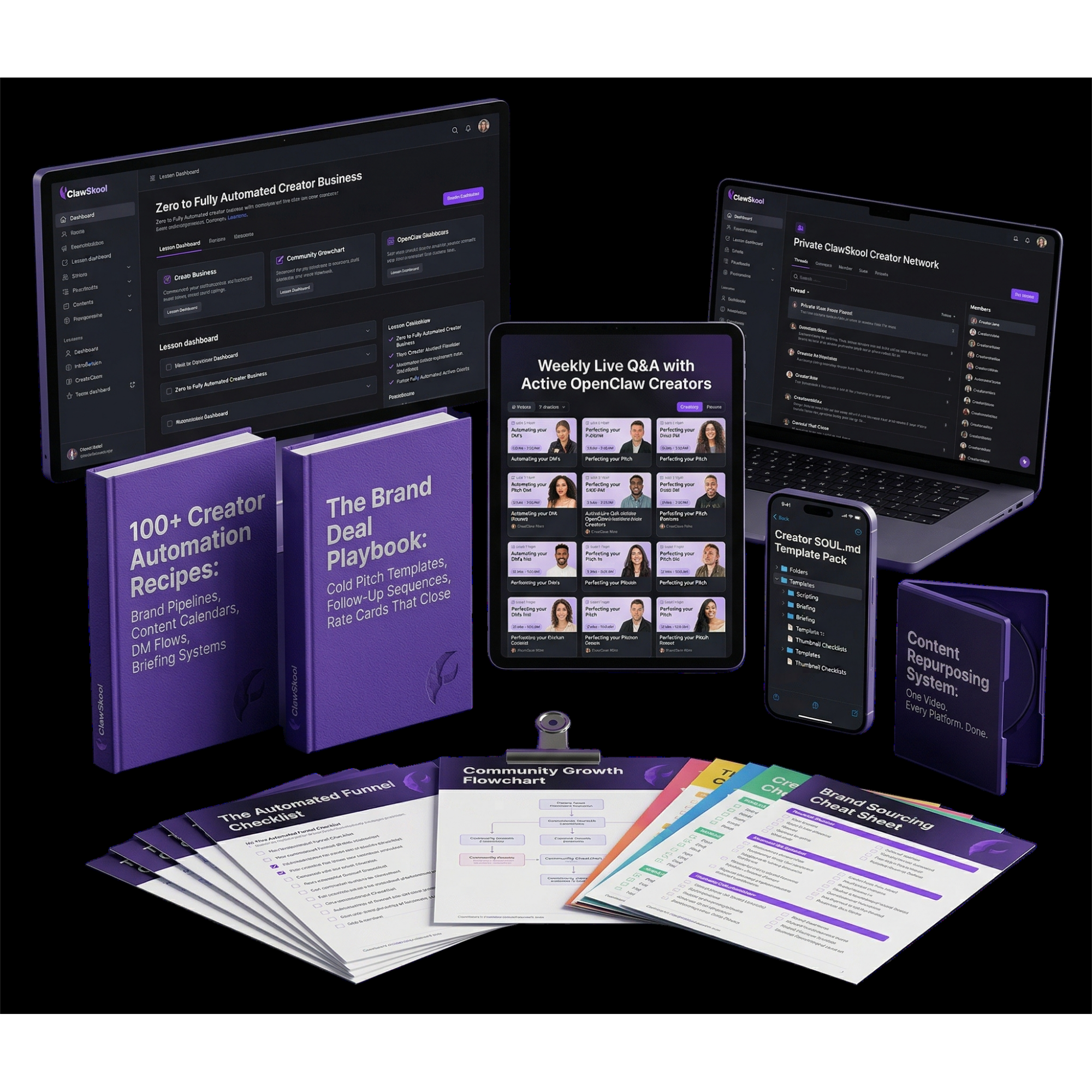
Total Value: $0
Founding Member Price
$29/mo
Locked in forever. Cancel anytime.
Common Questions
ClawSkool is a membership that teaches freelance paralegals to build AI automation systems using OpenClaw — a free, open-source AI agent platform. You learn to create agents that handle deadline tracking, document checklists, and attorney status updates automatically.
No. OpenClaw uses plain-language configuration files you write in English — not code. If you can describe a checklist in a document, you can configure an agent to generate and track it.
OpenClaw runs on infrastructure you control — your server, your API keys, your data. You choose your AI provider and configure your data handling. No client information leaves the systems you have authorized.
Your AI can be configured to calculate deadlines from trigger dates you enter — for example, "30 days from the service date in the matter record." You define the rules for each matter type once; the AI applies them to every new matter that opens.
Yes. You configure separate agents or workflow profiles for each attorney or matter type. Each profile has its own checklist templates, deadline rules, and communication preferences — all managed from one system.
OpenClaw can read exported data from most practice management platforms (Clio, MyCase, Filevine) and trigger workflows based on that data. It doesn't require replacing your attorney's existing tools.
Yes. 7 days, no questions asked. Complete the first three lessons — if you don't see how this transforms your matter management, you get a full refund.
Email us at hello@clawskool.xyz. We respond within 24 hours.
The Math Is Simple
StopBeingtheSystemThatPreventsCatastrophe.
A full-time legal admin costs $3,000+/mo. ClawSkool gives you an AI tracking system for $29.
One missed deadline ends careers.
In legal work, a missed statute of limitations or late filing isn't just an error — it's a malpractice claim. Your AI tracks every deadline across every matter and escalates before anything can slip. That's not convenience — it's protection.
250,000+ agents already deployed.
OpenClaw powers a quarter million AI agents worldwide. Paralegals are already using it to track deadlines, generate document checklists, and keep attorneys updated — across multiple simultaneous matters, automatically.
One agent tracks every matter you support.
Deadline chains. Document checklists. Status update emails. Priority alerts. All running in the background across every matter — for every attorney you support — so nothing falls through and you're never the single point of failure.
100 founding spots. $29/mo locked forever. Cancel anytime.
ClawSkool — Powered by OpenClaw